19 min read
Audio Gating Chart: Key Points & Setup
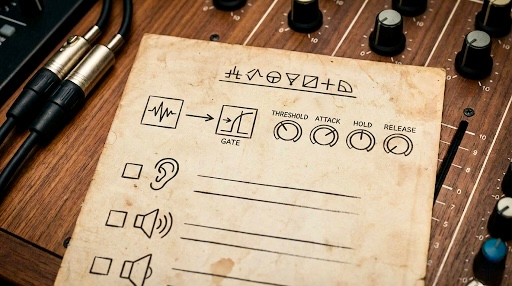
šŸ”Š Audio Gating Chart: Key Points & Setup
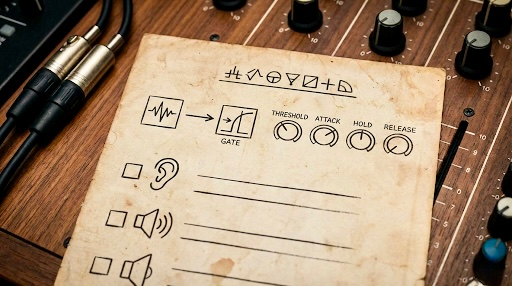


1. What is a Gate?

Noise Gate (or simply "Gate") is a dynamic processor that attenuates (mutes) a signal when its level drops below a user-defined threshold. It is essentially an automatic on/off switch for sound.

  • Primary Purpose: Eliminate unwanted noise, bleed (e.g., drum shells ringing or cymbal wash into a tom mic), or background hum when the desired signal is not present.
  • Common Uses: Drums (Toms, Snare), Vocals (to mute room noise between phrases), Guitar Amps (to stop hum/hiss).

2. Essential Gate Parameters


ParameterDescriptionKey Point / Setting Strategy
ThresholdThe level (in dB) at which the gate opens (lets the signal pass) and closes (mutes the signal).Set just above the level of the unwanted noise/bleed, but below the peak level of the desired signal.
AttackHow quickly the gate opens once the signal exceeds the threshold.Use a Fast attack ($\approx 0.1 \text{ ms}$ to $1 \text{ ms}$) for drums to capture the initial transient. Use a Medium attack (5ms  to 10ms ) for smoother sources like bass/vocals.
HoldThe duration (in ms) the gate remains fully open after the signal drops back below the threshold.Use to prevent the gate from "chattering" or rapidly opening/closing, especially on signals with sustain (e.g., toms, bass).
ReleaseHow quickly the gate closes (mutes the sound) after the Hold time expires.Use a Slow release (approx 50ms to 200ms) to prevent abrupt cut-offs and keep the sound natural. Too fast sounds like "clipping" the tail.
Range (or Depth)The amount of attenuation (in dB) applied when the gate is closed.Set to -\infty (full mute) for maximum noise reduction, or -10 to -30 for a more subtle reduction that maintains some natural room tone.

3. Drum Gating Strategy (Common Application)

🄁 Toms & Snare

The main challenge is removing cymbal/hi-hat bleed and room ambience while preserving the drum's decay.

  • Setup:
  • Threshold: Focus on the drum hit's initial peak. Set the threshold so the peak definitely opens the gate, but the cymbal bleed does not.
  • Attack: Fast (1 ms or less) to capture the sharp "crack" without losing the transient.
  • Hold & Release: Adjust these together. Use enough Hold to capture the immediate impact, and a Release that lets the tone decay naturally. If the decay is cut short, lengthen the release.
  • Key Tip (Sidechain/Keying): For very tricky sources, use a High-Pass Filter (HPF) in the gate's sidechain to ignore low-frequency rumble and a Low-Pass Filter (LPF) to ignore high-frequency cymbal bleed, making the gate only react to the drum's mid-range fundamental frequency.


4. Troubleshooting Common Issues


IssueSound / ProblemFix
Clicking/PoppingA short, audible "click" at the beginning of the sound.Increase the Attack time slightly. The gate is opening too fast and cutting into the very beginning of the transient.
ChatteringThe gate rapidly opens and closes multiple times on the decay of a sound.Increase the Hold time or Increase the Release time. This keeps the gate open longer after the initial hit.
Cutting TailsThe natural decay or sustain of the instrument is abruptly cut off.Increase the Release time significantly. You want the release to fade out smoothly with the instrument's natural decay.
Gate Won't OpenThe desired signal is not passing through, or is stuttering.Lower the Threshold. The threshold is likely set too high and is treating the main signal as noise.

5. Expander vs. Gate


  • Gate: Offers a high level of attenuation (high Range) and is best for completely muting unwanted signal.

Expander: Offers a lower, more subtle attenuation (low Range, often $-3 \text{ dB}$ to $-10 \text{ dB}$). It is used to increase the dynamic range by making soft sounds softer and is better for maintaining natural ambience and subtle cleanup.